How to make a Merry Christmas image
- Pick a sample Christmas message for the person you’re writing to, or type your own title and message. Line breaks are kept.
- Tap emoji to stick them on the card and drag them around in the preview. Tap again to remove one.
- Choose a background (red, green, snow or an illustration) and a size, then tap Save image to download a PNG. On a phone, tap Share to send it straight to Messages or WhatsApp.
Christmas card image examples
Each image below was made on this page. Tap the button to start from the same message.


Merry Christmas wishes and Christmas card messages for everyone
Use on card puts the greeting on the card above. Copy grabs it as a Christmas text message.
- Friend
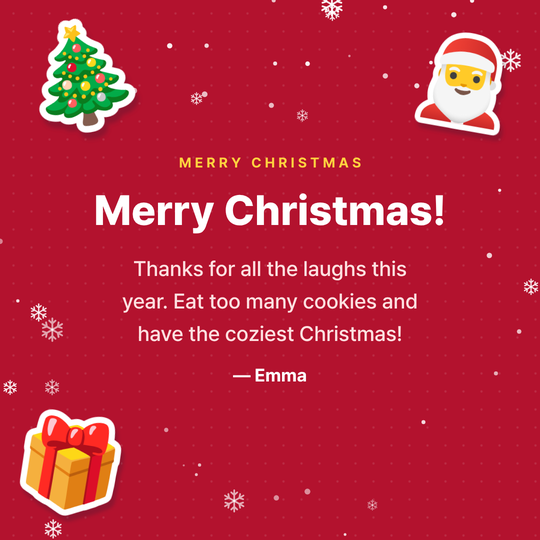
Merry Christmas! 🎄🎅🎁
Thanks for all the laughs this year. Eat too many cookies and have the coziest Christmas! - Partner
Merry Christmas, my love ❤️🎄✨
You are the best gift I got this year. Here’s to every Christmas we’ll spend together. - Family
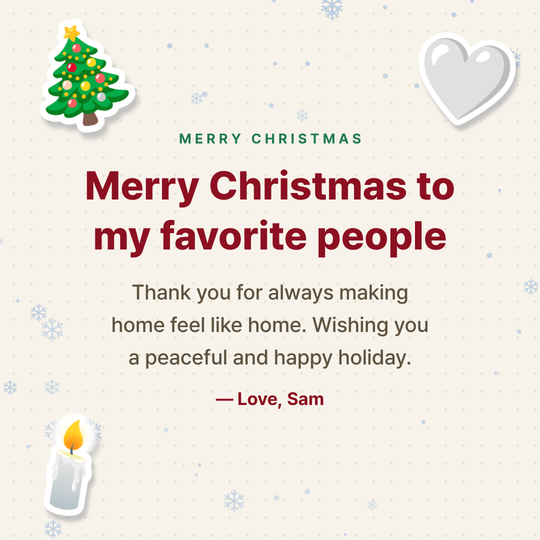
Merry Christmas to my favorite people 🎄🤍🕯️
Thank you for always making home feel like home. Wishing you a peaceful and happy holiday. - Coworker
Happy holidays! 🎄☃️🌟
Thanks for a great year working together. Enjoy a well-deserved break and a happy holiday season. - Client / boss
Season’s greetings 🌟🎄🕊️
Thank you for your trust and support this year. Wishing you and your family a joyful holiday season and a prosperous New Year. - Best friend
Merry Christmas, bestie! 🎄💚🎁
Another year of inside jokes and late-night talks. Here’s to more of both. Love you! - Kids
Santa is on his way! 🎅🎁🦌
You’ve been so good this year. Leave out some cookies and milk, and have a magical Christmas! - Religious
Blessed Christmas 🕊️🌟🙏
Celebrating the birth of Jesus with you. May His peace and love fill your home this Christmas. - Christmas & New Year
Merry Christmas & Happy New Year 🎄🥂✨
Thank you for everything this year. May the new year bring you health, joy and lots of good news. - Funny
Merry Christmas, you made the nice list (barely) 🎅🍪😜
Santa says it was close this year. Kidding! Enjoy the holidays and save me a cookie. - Short
Merry Christmas! 🎄✨⛄
Wishing you peace, joy and warmth this season.
Christmas emoji combos
- 🎄🎅🎁
The classic set. Works for anyone.
- ⛄❄️🧣
Winter vibes. Perfect for a snowy day.
- ❤️🎄✨
Sweet and loving. For a partner or someone close.
- 🌟🎄🕊️
Polite and warm. Good for clients and bosses.
- 🍰🥂🎉
Party mode. For Christmas party group chats.
- 🦌🔔🎅
Santa theme. Kids love it.
- 🕊️🙏🌟
Blessings. For religious Christmas greetings.
- 🍪🥛🧦
Cute. The night-before-Christmas feeling.
FAQ
Is this Christmas card maker free?
Yes. There is no sign-up and no watermark, and you can save as many PNG Christmas images as you like.
How do I send a Christmas card by text or WhatsApp?
On a phone, tap Share and pick Messages, WhatsApp or any other app. On a computer, save the image and attach it. Tap Copy text + emoji to send the greeting as a text too.
What should I write in a Christmas card for work?
Keep it short and inclusive: thank them for the year, wish them a happy holiday season and a good New Year. Season’s greetings and Happy holidays are safe choices.
What do you write in a Christmas card?
A greeting, one line of thanks or a shared memory, and a wish for the new year is plenty. Add a name at the end and you have a warm card in three lines.
How were the illustrated backgrounds made?
They are original illustrations EmojiCanvas made with an AI image tool (GPT Image). You are free to save and send them for personal greetings.
Can I post the image on social media?
Yes, for personal greetings. The emoji on the card use the Google Noto Emoji design (Apache 2.0).
Good to know
- Illustrated backgrounds put a soft panel behind your text so it stays readable. Drag away or remove any emoji that cover the picture.
- Square (1080×1080) fits chats and Instagram posts. Portrait (1080×1350) fills the Instagram feed.
- For a team or company greeting, put the team name in the From field.
- Your message and the image are processed only on your device and are never sent to a server.